The ability to divide payments into a number of interest-free installments is great, but if you can’t use it where you shop, buy now, pay later starts to lose its value pretty fast. With Amazon raking in a whopping $638 billion annually, you want your BNPL provider to work there.
So, with Sezzle growing in popularity, I’ve been wondering: can you use Sezzle on Amazon?
Let’s walk through everything you need to know, covering how it works, what to expect, and what to watch out for if you want to split your payments using Sezzle.
Key Takeaways
- Yes, Sezzle Works on Amazon: You can use Sezzle on Amazon, but only through the Sezzle virtual card—not a direct checkout option.
- Virtual Card Is Required: Amazon doesn’t have a Sezzle button, so you must manually enter Sezzle card details at checkout.
- Pay in 4 Over Six Weeks: Eligible purchases are split into four interest-free payments over six weeks.
- No Hard Credit Check: Sezzle uses a soft credit check, so signing up won’t affect your credit score.
- Stay On Schedule: Missed payments may result in late fees, so it’s important to manage your installments carefully.
Sezzle and Amazon: The Basics
While Amazon doesn’t directly offer Sezzle as a payment method during checkout, you can still use Sezzle by entering a single-use virtual card manually. This allows you to make Amazon purchases and split the cost into interest-free payments—four installments over six weeks, with no added interest or hard credit check.
I’ve used Sezzle on Amazon several times and it isn’t as difficult as you might think. You will need the Sezzle app to get started. Inside the app, you can create a virtual card with your preferred amount, then manually enter the Sezzle card details (card number, expiration date, and CVV) into the payment section of your Amazon account.
How to Use Sezzle on Amazon (Step-by-Step)
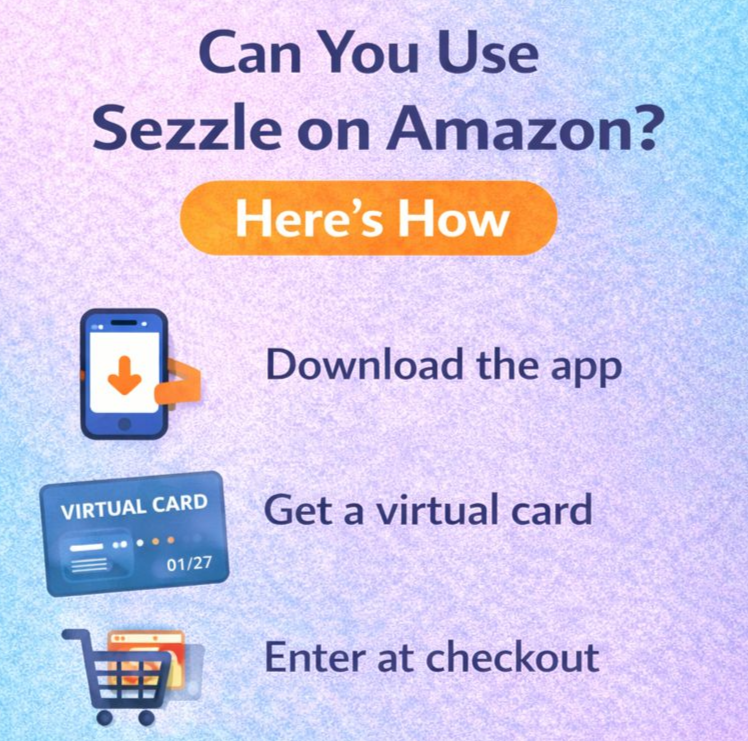
Here’s how to use the buy now, pay later option from Sezzle for your next Amazon order:
- Download the Sezzle app if you haven’t already.
- In the app, select Amazon as your store.
- Enter your purchase request amount.
- Generate a single-use virtual card with your selected amount.
- Go to your Amazon checkout, choose “Add a Payment Method,” and enter your Sezzle virtual card manually.
- Complete the purchase using the virtual card. Sezzle will automatically split your payments into four interest-free installments—your first payment is charged right away, with the remaining payments spread across the next six weeks.
This gives you the flexibility of BNPL without needing Amazon to support it natively.
Enjoy Flexible Payments on Amazon
Sezzle’s approach gives you the chance to shop on Amazon and enjoy flexible payments even though Amazon doesn’t officially support Sezzle at checkout. By using the virtual card, Sezzle essentially functions like any standard credit or debit card, allowing you to shop just like you normally would.
One Redditor explains:
“I just used sezzle on Amazon for the first time last night, it works. You just have to add the sezzle card number into your Amazon account and it will add another virtual card.”
And since Sezzle uses a soft credit check (not a hard one), signing up won’t affect your credit score. This makes it a good option for shoppers who want installment flexibility without the impact of traditional BNPL loans or personal loans.
What to Watch Out For
While this process is simple, there are a few things BNPL users should be aware of:
- Expiration date: The Sezzle virtual card is single-use and has a short lifespan, so use it right away after it’s created.
- Missed payments: As with any BNPL service, missed payments can result in late fees and could eventually affect your payment history if you’re enrolled in Sezzle’s credit reporting program.
- Restrictions apply: Not every type of Amazon transaction may be eligible for Sezzle (such as subscriptions or certain digital products).
- Additional fees: While Sezzle’s Pay in 4 is generally fee-free, certain actions—like rescheduling payments—can lead to extra charges.
Make sure to check your repayment terms and stay current with your installments over 6 weeks. This way, it’s much easier to avoid any unwanted surprises.
Smart Shopping with Sezzle
| Feature | Amazon (via Virtual Card) | Stores with Built-in Sezzle |
|---|---|---|
| Checkout Button | No | Yes |
| Payment Setup | Manual (enter card details) | Automatic |
| Interest-Free Pay in 4 | Yes | Yes |
| Requires Sezzle App | Yes | Optional |
| Card Expiration Risk | Yes (single-use only) | No |
| Approval Process | Soft credit check | Soft credit check |
| Payment Management | In Sezzle app | In Sezzle app |
Using Sezzle on Amazon is a clever workaround for anyone who wants to access payment options beyond the standard credit or debit route. Whether you’re buying everyday essentials or treating yourself, the ability to split payments and manage your budget can make shopping less stressful.
And if you’re already using Sezzle at other stores, adding Amazon to your list of options through the virtual card just expands the value of the platform.
Final Thoughts
To summarize, yes, you can use Sezzle on Amazon—though it takes a few extra steps. Nevertheless, the extra time I spent using the virtual card meant I was able to split my payments at one of the world’s biggest retailers.
Just be sure to understand your payment plans, stick to your schedule, and avoid missed payments. When used responsibly, Sezzle offers a flexible, interest-free alternative for Amazon shoppers who want a little more control over how—and when—they pay.
FAQs
No. Amazon does not offer Sezzle as a built-in payment option, so you must use the Sezzle virtual card instead.
You generate a single-use virtual card in the Sezzle app and manually enter the card number and expiration date in Amazon’s payment section.
No. Sezzle’s Pay in 4 option lets you split payments into four interest-free installments over six weeks.
Sezzle uses a soft credit check, so applying won’t hurt your credit score. Missed payments could have consequences if credit reporting is enabled.
Yes. Some purchases, such as subscriptions or certain digital items, may not be eligible, and single-use virtual cards must be used before they expire.